ICT Killzone Pro Suite
The Ultimate TradingView Indicator: Automate Your ICT/SMC Analysis and Skyrocket Your Profits !
👉 What if your ICT/SMC analysis was done automatically?
Imagine: Your ICT/SMC analysis done in 5 seconds – No more wasted hours, Hello winning trades!
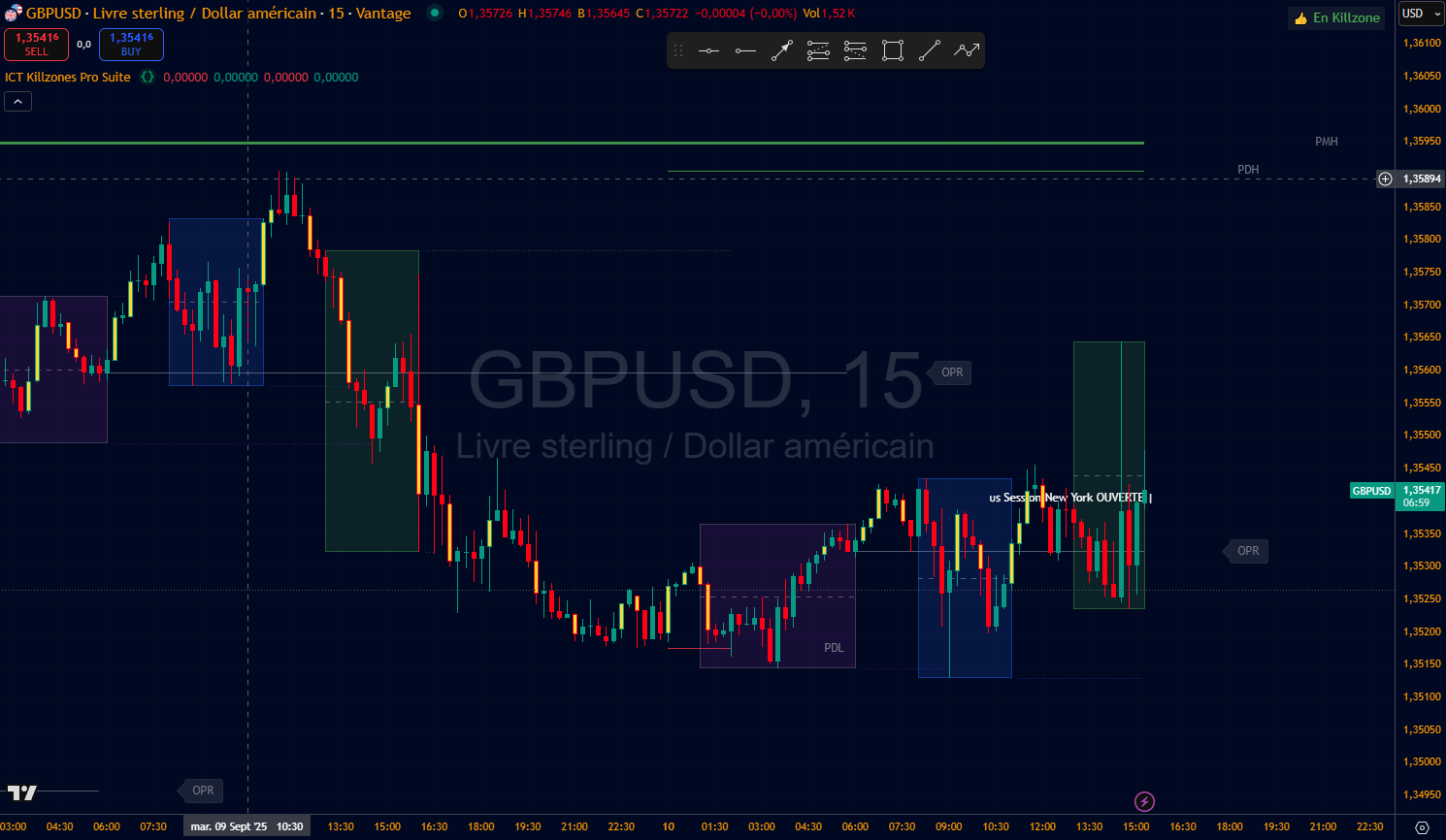
Automatic Killzones (Asia, London, New York): Spot explosive sessions instantly, no timing errors
Key Liquidity Levels (Daily, Weekly, Monthly Highs/Lows): Capture major moves before they happen
Highlighted FVGs & Imbalances: Never miss a powerful reversal zone again.
Open Price Range Level: Predict daily biais for precise entries.
Market Structure Shift & Break of Structure Detection: Anticipate trend changes to maximize gains.
👉 Result: earn time saving, precision, and confidence in your decisions.
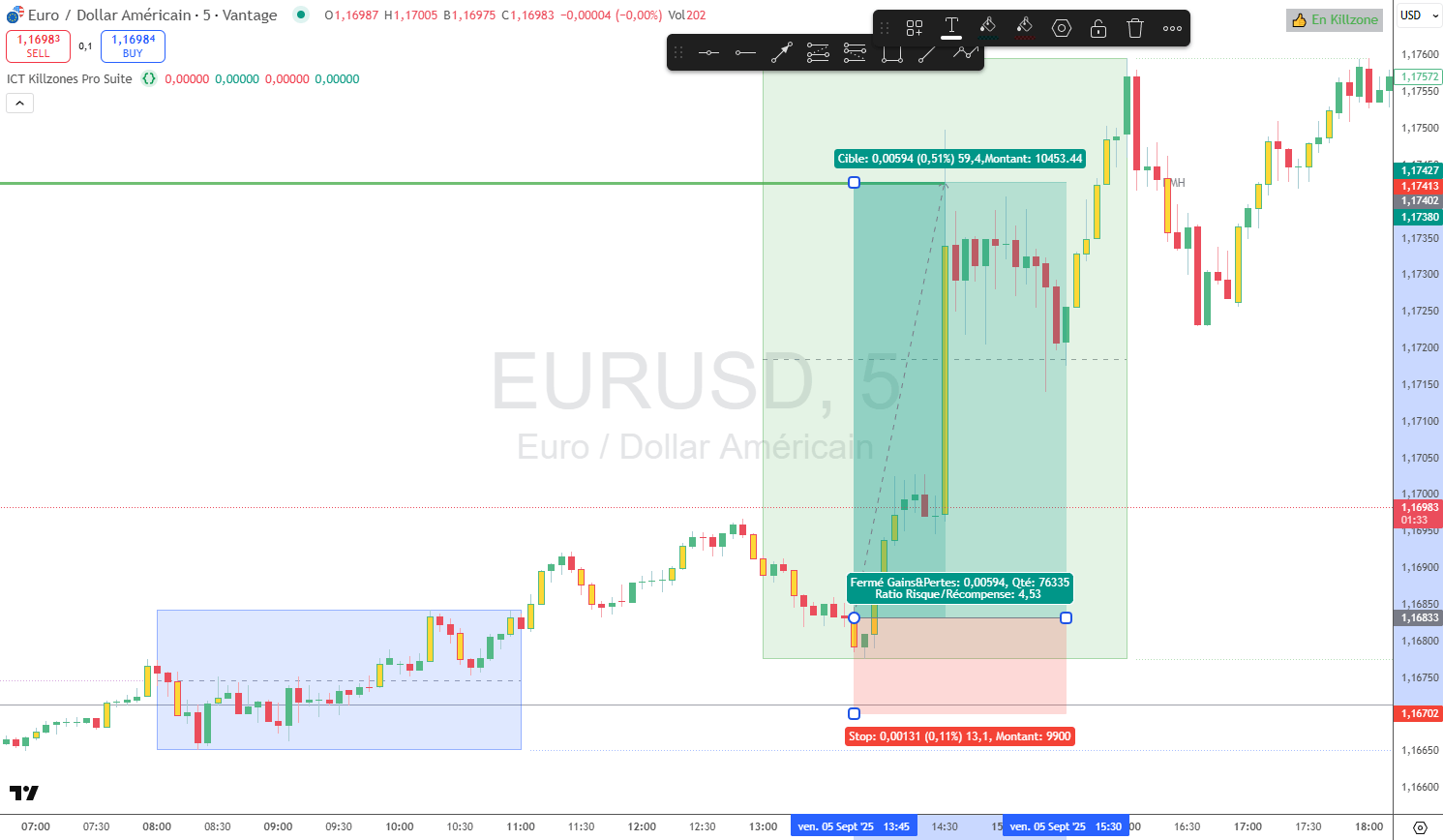
Tired of Missing Setups Due to Slow Manual Analysis?
Every day, thousands of traders like you lose opportunities:
Open TradingView, plot zones...
And the market's already moved!
Result: doubts, frustrations, and avoidable losses
What if you could eliminate this forever?
Take advantage of a tool designed to simplify your life
Discover the tool that revolutionizes your trading: with ICT Killzone Pro Suite, no more guesswork!
Automatic Killzones: Trade the Right Session Error-Free, and Capture Explosive Moves.
Ready-to-Use Key Levels: Instantly Visualize Highs/Lows for Informed Decisions.
Highlighted Imbalances & FVGs: Detect Hidden Profit Zones Before Your Competitors.
Instant OPR: Predict and Trade Opening Ranges Without Calculations.
Full History: Analyze Past Trades to Progress 2x Faster.
Easy Customization: Tailor Colors, Times, and Layouts to Your Style for Maximum Comfort.
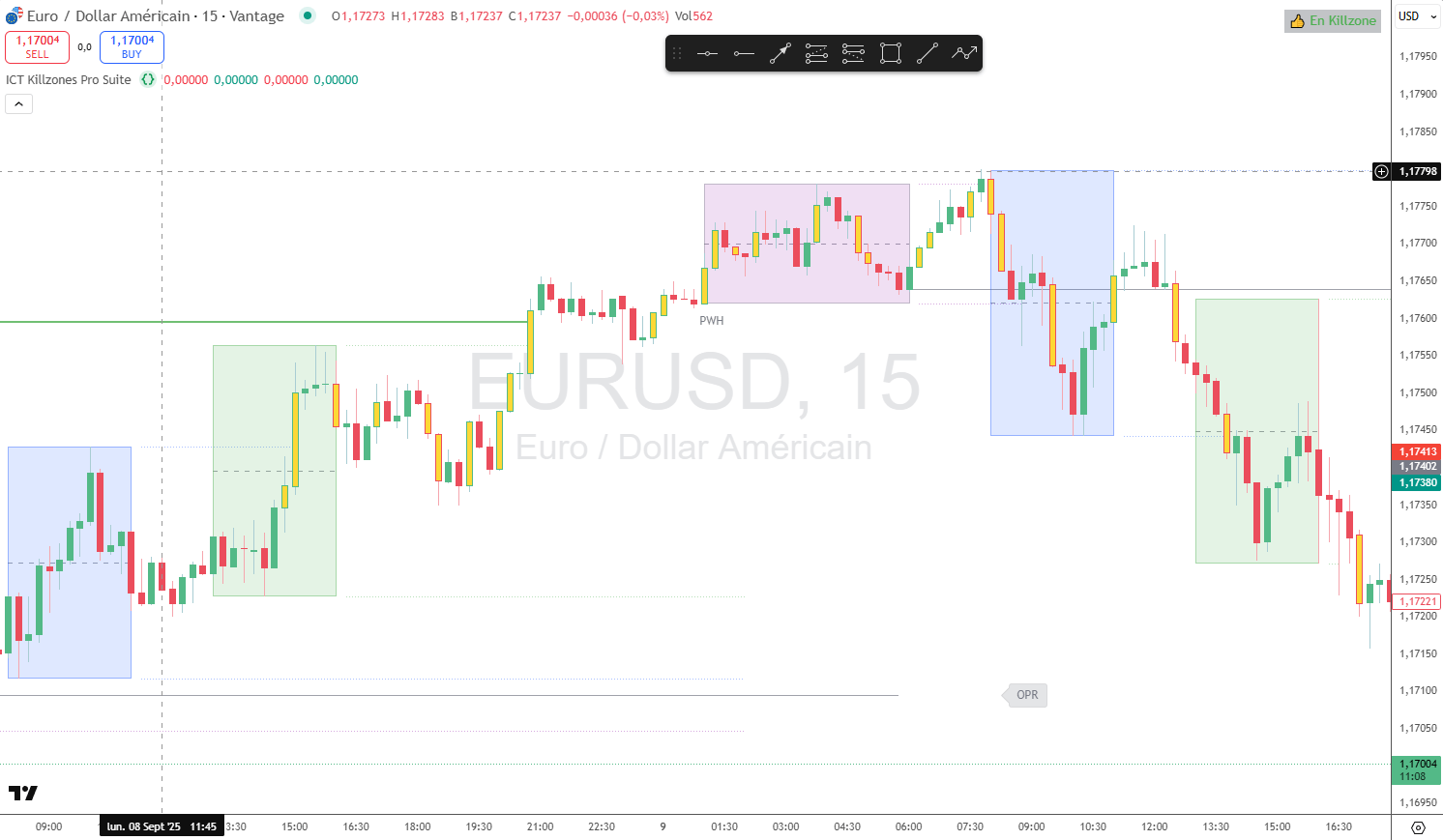
👉 Concrete Result: Open TradingView and Be Ready in Under 5 Seconds - More Time for Profits!
Choose Your License
Monthly
€27
/month
TradingView Indicator
Notifications & Alerts
Save +1 hour per day
Video tutorials
PC/Mac, tablet & mobile access
Yearly
€16
/month
billed yearly
save €132 per year
TradingView Indicator
Notifications & Alerts
Save +1 hour per day
Video tutorials
PC/Mac, tablet & mobile access
Lifetime Free Updates
Priority Support
Lifetime
€397
€497
TradingView Indicator
Notifications & Alerts
Save +1 hour per day
Video tutorials
PC/Mac, tablet & mobile access
Lifetime Free Updates
Priority Support
Frequently Asked Questions
An ICT/SMC (Smart Money Concepts) indicator is a tool that automates the display of trading concepts popularized by the ICT method: kill zones, key levels, imbalances, liquidity zones, etc.
👉 Instead of manually plotting your charts, you save time and reduce the risk of errors.
Our indicator works exclusively on TradingView, the world's most widely used trading platform.
Yes! The indicator adapts to all assets available on TradingView:
Forex (EUR/USD, GBP/USD…),
Indices (DAX, NASDAQ, S&P500…),
Commodities (gold, oil, gas…),
Crypto (Bitcoin, Ethereum…),
Stocks & ETF.
Once payment done:
Private access to the indicator in your TradingView account within 48 hours,
Step-by-step tutorial videos,
👉 Remember to add the indicator to your Favorites to easily find it every day!
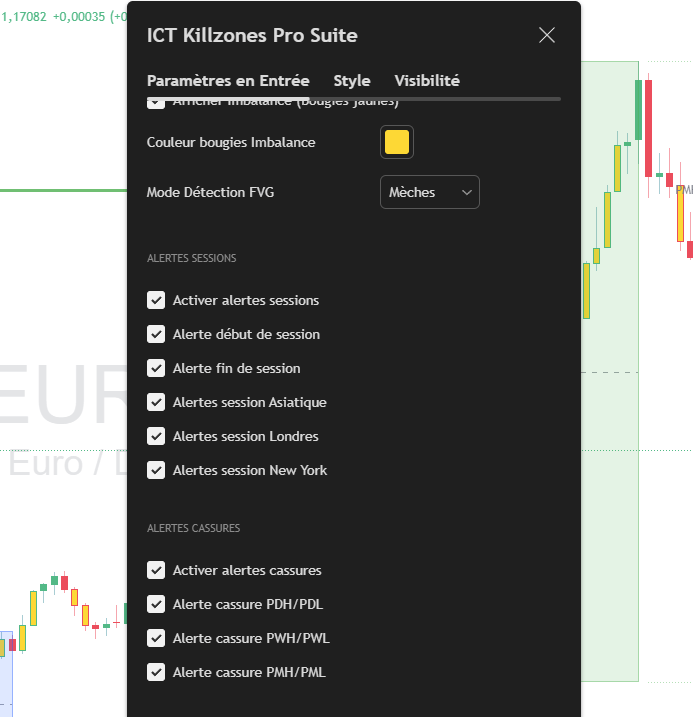
Yes! You retain control over:
Killzone times
Zone and level colors
Display or not any ICT concepts
Displayed history for backtest
Activation of alerts & notifications
👉 The indicator adapts to your trading style.
Yes. Your purchase or subscription includes access to future updates and improvements at no additional cost. You'll always benefit from the latest version.
Yes! The indicator is linked to your TradingView account, so you can use it on all your devices (PC, tablet, mobile) as long as you are logged in to your account.
You no longer waste +1 hour preparing your charts.
You gain precision (automatically plotted areas, no missing items).
You reduce stress and hesitation when taking positions.
You trade faster, more clearly, and with greater peace of mind.
No, one license = one account. If you want to access the indicator with multiple accounts, you must purchase a license for each account.

© 2025 Cercle PPM
Risk Warning: Financial products such as trading stocks, foreign exchange (forex), derivatives (options, futures), and cryptocurrencies carry a high risk of capital loss. These investments are not suitable for all investors, and it is important to assess your risk tolerance before committing. Leveraged trading can magnify your gains, but also your losses. Before any transaction, it is advisable to be well educated, understand the mechanisms of these markets, and only invest amounts you are prepared to lose. Cercle PPM declines all responsibility for any financial losses. Please consult a licensed financial advisor if necessary. In France, the Autorité des Marchés Financiers (AMF) reminds us that any investment in financial products must be made with caution and discernment.

Abonnez-vous gratuitement
Lorem ipsum dolor sit amet, consectetur adipisicing elit. Autem dolore numquam enim.
Je Haie le spam. Votre email ne sera jamais partagé